
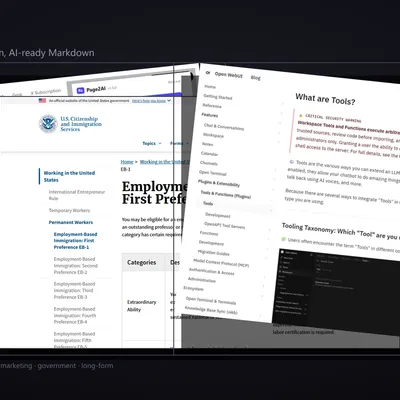
Page2AI
Which Page2AI do I need?
Section titled “Which Page2AI do I need?”Page2AI is a small product suite for turning live web pages into LLM-ready Markdown, without sending page contents to a third-party service. Pick it by the job:
| Your job | Use | Start |
|---|---|---|
| Paste the page you are reading into ChatGPT, Claude or Gemini | Browser extension (Chrome, Firefox) | Install, then press Alt+Shift+M or click the toolbar icon: the Markdown is on your clipboard |
| Let an agent (Claude Code, Cursor, Codex, any MCP client) read public web pages as Markdown | MCP server, on your machine | npx -y page2ai-mcp in the client’s MCP config (setup) |
| Have ChatGPT read a public page as Markdown | ChatGPT plugin | Plugins → Page2AI → Install plugin (steps) |
| Convert a page that you or your agent already loaded: your own app, a page behind a sign-in, an intranet or tailnet host | MCP tool with html, or the library |
Pass the page’s HTML as html together with its url, or call htmlToMarkdown in Node |
| Convert HTML in your own code, or save the Markdown to a file | Library @page2ai/core |
npm i @page2ai/core (example) |
What the server-side paths cannot do. The MCP server, the ChatGPT plugin and the library’s fetchAndConvert fetch without cookies and run no page scripts: a page behind a sign-in comes back as its login page, and a page that builds its content with JavaScript in the browser comes back nearly empty. The extension reads the page as your browser shows it. The MCP server also refuses private, loopback and tailnet addresses; for those, fetch the HTML yourself and pass it in.
Why not the agent’s own web reader? For most fetches, Claude Code’s built-in WebFetch runs a separate model call on the page and gives the agent that call’s answer, not the page; its documentation calls this “lossy by design”. page_to_markdown returns the page itself: headings, tables, code blocks with their language, and each tab of a tabbed code sample as its own section.
Personal data. Whatever an MCP tool returns enters the agent’s context. If a page carries personal data that must not reach the model, convert it with the library, write the Markdown to a file, and give the agent only the file’s path and size.
What it does
Section titled “What it does”- Extracts the main article and strips ads, cookie banners, navigation, and footer noise
- Preserves headings, code blocks with language hints, links, tables, and blockquotes
- Emits YAML frontmatter with page metadata (
title,source,captured_at, OpenGraph, Twitter, JSON-LD,article:published_time, etc.) - Deduplicates content across tab widgets on documentation sites (Mintlify, Docusaurus, Starlight, Nextra, Fumadocs)
- Runs entirely in the user’s browser or on the user’s machine
Zero data collection
Section titled “Zero data collection”Page2AI does not send page contents anywhere. The extension has activeTab, scripting, clipboardWrite, and storage permissions and no host_permissions. The MCP server and library make no network calls beyond the URL you ask them to fetch, and they enforce SSRF guards against private IP ranges and non-HTTP schemes. The hosted endpoint behind the ChatGPT plugin fetches the URL from its own server: see its privacy trade-off.
See Privacy for details.
Related
Section titled “Related”- Source: github.com/igorsaevets/page2ai-extension
- Software Heritage archive:
swh:1:snp:05123c51ef9e7c0aeb06f42b1263c07a8d26999a - MCP Registry: io.github.igorsaevets/page2ai-mcp
- npm: @page2ai/core · @page2ai/mcp · page2ai-mcp
Author
Section titled “Author”Page2AI is written and maintained by Igor Saevets — LinkedIn · GitHub · ORCID 0009-0006-8636-1377.